Guide 05 · About 7 minutes
How to split a vinyl recording into tracks automatically
You recorded a side and have one long file. Here is how it becomes tracks: why the gaps between songs are harder to find on vinyl than on a CD, how automatic splitting finds them, and the records where your ear still has to decide.
Why vinyl gaps aren’t silence
On a CD, the space between tracks is digital zero, and any program can find it. On a record it’s the quiet groove between the bands: still surface noise, a little hum, the odd click. A “silence detector” set for a CD either finds nothing or finds every soft passage.
So the question isn’t “where is it silent?” but “where does the music drop to the record’s own noise, and stay there long enough to be a gap?” That depends on the record: a quiet pressing of chamber music and a loud dance 12" have very different floors.
Three ways to split
- By hand. In an audio editor such as Audacity, you place a label at each gap (its Label Sounds tool can suggest the quiet ones), name each label, and export. Full control, and slow for a collection.
- From a track listing. Some vinyl software, VinylStudio among them, looks up the album’s track listing and places the splits from it, for you to adjust.
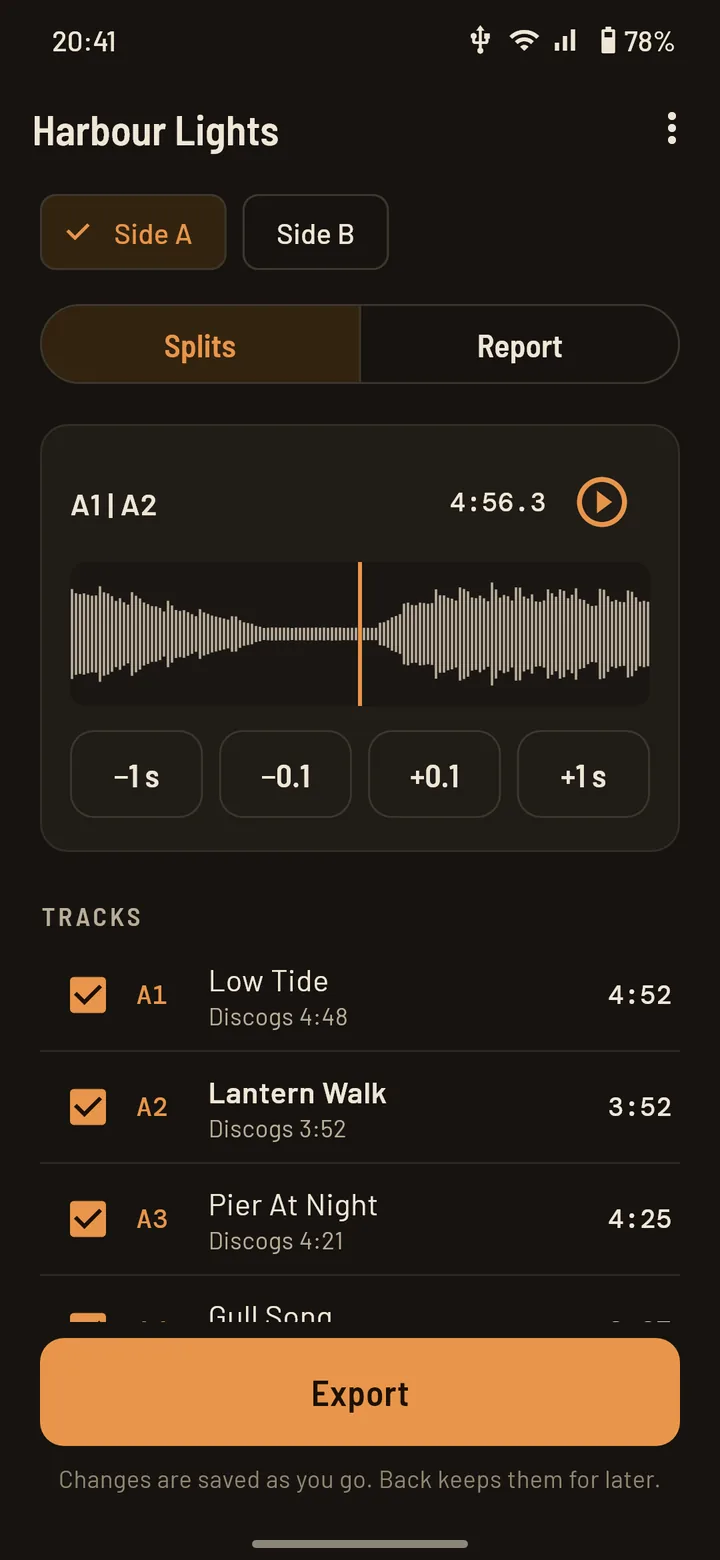
- From the gaps, guided by track times. The approach below, which StylusLog uses: the audio says where the gaps are, and the track times from Discogs say which gap is which.
How the gaps are found
Each record is measured on its own terms. The question is how far the music falls below its own loud passages, and for how long: deep and long enough to be the groove between bands, not a drum break, a breath or a soft bar. A fixed silence threshold can’t do that, because every pressing has its own noise floor.
A few things good splitting takes into account:
- Intros and outros. A pause right after the music starts, or a fade into the runout, isn’t a new track.
- Where in the gap to cut. Just before the next track starts, not in the middle of the gap: the last note keeps its decay, and the next track starts clean.
- Clicks. A click in the middle of a gap doesn’t end it, and crackle in the lead-in isn’t music.
How track times help
A side often has more quiet moments than track changes. The track times on Discogs say roughly where each change should be, which picks the right gap out of several.
They’re a guide, not a ruler. Track times on Discogs are rounded or sometimes missing, a pressing can differ from the one listed, and a record never plays at exactly the speed it was mastered at. So the gaps in the audio lead, and the times only help choose between them.
When the times point somewhere with no gap at all, StylusLog still places a split there, and flags it: it’s drawn in a warning colour, with “No gap found here”, so you check it by ear. Without track times (a record not on Discogs), the clearest gaps are proposed, and you confirm them.
Records that need your ear
| The record | What happens | What to do |
|---|---|---|
| Segues (concept albums, DJ mixes, medleys) | No gap: the split lands where the track times say | Listen across it and move it onto the change you hear; a player with gapless playback plays the join without a break |
| Live albums | Applause fills the gaps | Decide where the applause belongs (usually the end of the track before) and nudge the cut |
| Classical | Soft passages inside a movement can look like gaps; pauses between movements can be short | Split per movement, as the track listing does; remove any split that landed inside one |
| Long fades | The fade sinks into the surface noise before the gap starts | Keep the cut where it is; the fade is in the earlier track |
| Hidden or unlisted tracks | A gap with no track to match it | Add the split by hand, or leave it in the track before |
Checking a cut
However the splits were made, listen across each one before you export: a few seconds before and after. In StylusLog that’s one tap on each cut, and nudges of a tenth of a second or a second move it. A good cut sits in the quiet just before the next track’s first sound; if you hear the start of a note at the end of a track, move the cut earlier.
Two more checks are worth the minute they take:
- The count. One more or one fewer track than the listing usually means a split inside a song, or a segue that was missed.
- The lengths. A track much shorter or longer than its listed time points at the cut on one side of it.
Splitting into tracks is part of StylusLog Pro, and free on your first three albums. To record the side in the first place: on Android or on an iPhone.
Let the gaps split your records
StylusLog is free to try on your first three albums, splitting included. Plug your gear in first: it shows whether it connects before you pay anything.